SendShort reports indicate that approximately 2.5 million people use Instagram Reels every hour (either creating, scrolling or interacting with). Given how much these numbers are, it is safe to assume that the fever of creating and sharing short form content isn’t going away anytime soon.
So, if you are on your content creation journey, wondering about the analytics of your reels and point out every person that views your reels and interacts with them, you have come to the right place.
Can you see who views your reels in 2025? Sadly, no. But, we will explore more on that and reels analytics that should help you on your creation journey in the future.
Table of Contents
Does Instagram Show Who Views Your Reels?
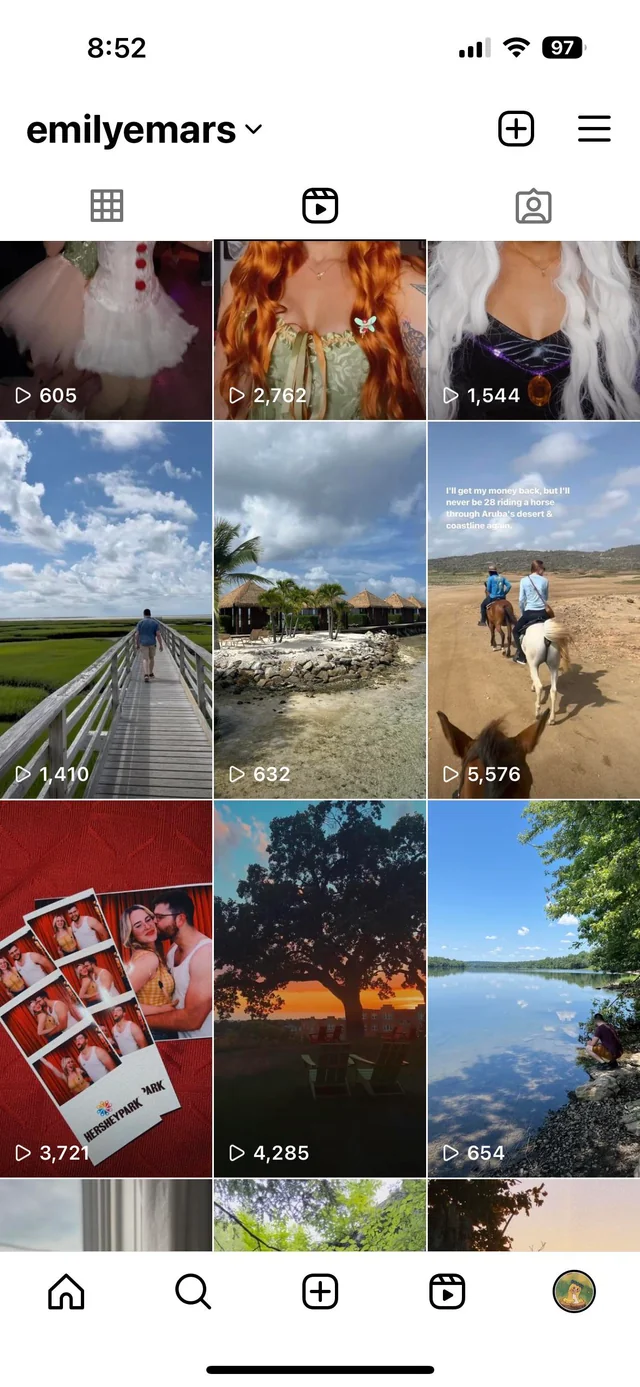
Given how Instagram is consistently updating their features and integrating more and more creator tools into their platform, wondering whether or not you can know who “viewed” your reels is a fairly common ask.
However, Instagram doesn’t have this feature at the moment. Since this particular feature might hinder with certain privacy policies Instagram has in place, there are high chances that this feature will not be introduced in the future as well.
Even putting that to the side, can you imagine a viral reel with 2 million views and Instagram having to record and update every viewer of that reel? Sounds tedious and involving a lot of technological prowess and energy too.
That said, even though you particularly won’t know who viewed your Instagram reels, the good news is that you will know “how many” people viewed it. Also, people that interact with your reels (likes, comments, etc.) are automatically the ones who have viewed your reel, so that’s one way to gauge the viewers.
How to Share Full Reels on Instagram Story?
How to Access Instagram Insights?

Usually, when you are trying to keep track of your Instagram analytics, the process is not as complicated as you think. Instagram makes it easier for creators to track their “account insights” directly from their dashboard.
You can access it via the mobile app or desktop, whichever is more convenient for you. Here’s a breakdown of it for your reference:
On Desktop:
- Open your browser and type www.instagram.com and then log in to your Instagram account.
- On the left-hand side of the menu panel, find “Dashboard” and click on it.
- Under that, you will find “Professional Dashboard”. Click on the drop-down menu that has the “Insights” option.
- Under insights, click on Content and then tap on All > Reels to see the insights and analytics of all the reels you have posted on your Instagram account.
If you want to track the insights of a specific reel you have posted, you can click on that reel and then track the analytics, see how many views it has gotten, likes, comments, etc.
On Mobile:
- Install the Instagram app and then log into your account, if you haven’t already.
- Navigate to the Profile tab.
- On the top-right corner, find the “three-line” menu icon and click on it.
- Scroll down until you find “For Professionals” and then click on Insights.
- Find “Content You Shared” and click on “All”. Then filter by Reels.
Under that, you can check the “Reels Insights” for the past week, month, etc., or you can choose a specific reel whose analytics you wish to keep track of.
Directly From the Reel:
If you don’t want to go through the above hassle for a single reel, the good news is that Instagram lets you assess the insights directly from the reel.
Here’s what you need to do:
- Go to the specific reel you want to view insights for on your profile grid.
- On the corner, find the three dots and click on them.
- Tap on “View Insights”.
This will showcase all the analytics like total number of views, likes, comments, shares, etc. So, if you’ve been trying to assess engagement on the reels, this is the best option.
How to Add a Clickable Link to Instagram Reels, Bio & Posts?
Why Doesn’t Instagram Show Reel Viewers?
Now that you know Instagram doesn’t show reel viewers, you must be thinking, “But why is that?”
To be fair, there are several reasons why Instagram continues to withhold viewer identity data on Reels:
Privacy Concerns
Instagram is quite stringent about the analytics it shares with the users, citing privacy concerns. So, making Reels viewership public or visible to the creator could deter users from freely watching content, especially if they want to remain anonymous or prefer not to be tracked.
Maintaining Platform Consistency
Another reason why Instagram doesn’t show reel viewers is to maintain platform consistency. Since reels are “feed posts” that stay on your grid until you delete or archive them, Instagram doesn’t show the viewers individually, unlike Instagram stories.
Engagement Focus
Instagram wants users to focus on creating valuable content that resonates with audiences rather than fixating on who is watching it. This encourages a healthier, more creative platform culture.
How to View Old Instagram Stories?
If Not Reel Viewers, What Reel Insights Can You Access in 2025?
While it is true that Instagram doesn’t let you access who views the individual reels, that doesn’t mean you can’t keep track of any reel insights.
Instagram does provide robust analytics, especially for its Business and Creator accounts. With comprehensive analytics, it becomes easier for users to understand their audience better, gain a better understanding of which marketing strategies are working, and refine their approach accordingly.
Following are some of the real insights you can access in 2025:
- Plays or views
- Accounts reached
- Likes, comments, shares, saves
- Watch time
- Follows
- Audience demographics, etc.
Keep in mind that some of these insights are specific to business or creator accounts only, so you’d have to switch to that to be able to access these insights.
What About Instagram Stories and Live Videos? Can You See the Viewers?
Since Instagram is a “media dominant” platform, it isn’t surprising that people are often confused about whether or not they can know who viewed their Instagram stories and live videos.
Here’s a comparison for better understanding:
| Feature | Can You See Who Viewed It? |
| Reels | ❌ |
| Stories | ✅ |
| Live Videos | ✅ (During the live) |
| Highlights | ❌ (after 24 hours) |
| Feed Videos | ❌ |
So, in short, only Stories and Lives allow you to see a list of the viewers, making them more interactive and time-sensitive.
How to See Who Viewed Your Reels on Facebook
Can Third-Party Apps Help You See Who Viewed Your Reels?
When you look up third-party apps that claim to help you track who viewed your reels, you might come across several different apps.
However, these claims are usually unfounded because Instagram is quite strict on its privacy policies. Some of the reasons why you should avoid these third-party apps are:
- Using third-party apps that scrape user data is against Instagram’s policy and can result in account suspension.
- Many of these apps request login credentials and can compromise your account security.
- Instagram simply does not share viewer data publicly, so no app can access something that doesn’t exist on the back end.
So, while you can’t see who particularly viewed your Instagram reels, you can track the total number of viewers and other engagements, so it is better to stick to the official Instagram account at the moment.
Can You Guess Who Viewed Your Reel?
While you can’t directly know who “viewed” your Instagram reels, there are certain clues that might allow you to guess who has viewed your reels.
The following are a few excerpts:
- If someone likes, comments, shares, or saves your Reel, they have watched at least part of it.
- If someone follows you right after you post a Reel, they likely discovered you through that content.
- People who consistently engage with your Reels (by liking or commenting) are likely your regular viewers.
While it is not perfect science, and this doesn’t come with 100% accuracy, it is still the best guess game you can employ.
Final Words
While it might be tempting to know who’s secretly watching your Instagram Reels, the platform still does not provide a feature to view individual Reel viewers in 2025. Even without the viewer list, Instagram doesn’t shy away from giving in-depth analytics for your reference, so you’d have to settle for what’s available and let go of the features that are currently inaccessible. Whether or not Instagram will introduce this feature in the future remains a mystery.
 About Carson Derrow

