With the consistently growing user base on Instagram, more people are now creating content on the platform, sharing their day-to-day lives through posts, videos, stories, reels, and more.
Among the many features available on Instagram, one that has caught people’s attention time and again is Instagram Highlights. The objective is simple – the feature allows users to preserve their favorite Stories permanently on their profile, unlike the 24-hour expiration that comes with regular Instagram Stories.
But a question that often pops up in users’ minds is, “Can people see if you view their Instagram Highlights?” We’ll cover that and more about Instagram Highlights in this detailed guide.
Table of Contents
Instagram Highlights: What Are They?
Instagram Highlights, as mentioned earlier, are a curated collection of Instagram Stories that users choose to showcase permanently on their profile.
Here’s what happens – When you post a standard Instagram Story, it stays on your profile for 24 hours, following which it gets deleted. But, what if you don’t want the stories to disappear and instead display them categorically on your profile?
That’s where Instagram Highlights come into the picture. Highlights sit right below the bio section on your Instagram profile and serve as a quick snapshot of what you want followers or visitors to know about you.
Now, a common question people have is, “Are the Instagram Highlights public?” The answer to that depends on your account settings. If your account is set to public, the highlights will be public. If your account is private, the highlights will only be visible to the people you follow.
How To Archive Highlights on Instagram?
Can Someone See If You View Their Instagram Highlights?
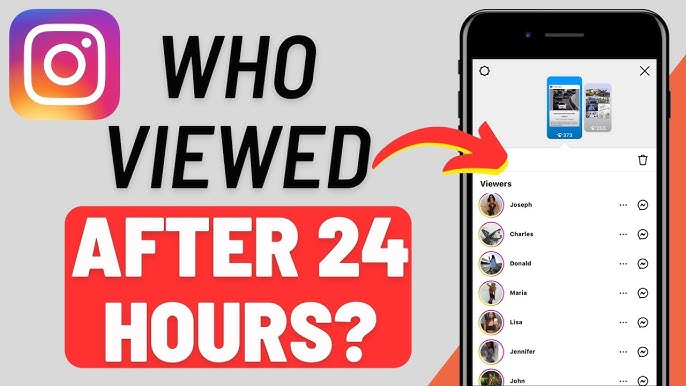
Coming to the question of the hour, “Will someone know if you viewed their Instagram Highlight?”
The more straightforward answer to this is “No.” However, there are certain exceptions you need to be aware of. For example, if someone adds a new Instagram story into their highlight, which has not yet expired (24 hours), then the user might be able to see that you viewed their “Story,” and in turn, the “Instagram Highlight.”
Once the original 24-hour Story period has expired and it becomes part of a Highlight, Instagram no longer tracks who views it. This means:
- The original Story analytics (i.e., who viewed it) are only accessible for 24 hours.
- After that period, even if it is added to a Highlight, there is no way for the person to see who views it.
So, if you view someone’s Highlight days or weeks after the original Story was posted, your name will not show up anywhere. They will not get a notification or any insight that you’ve viewed it.
Another thing that is different between Instagram Story views and Highlight views is the time frame. The standard IG story lasts 24 hours, during which you can track the total number of viewers and the specific accounts that viewed the story.
For Instagram Highlights, the waiting frame is 48 hours. If someone views the Highlights within 48 hours of them being posted, then the account will know “who” viewed the highlights. After the 48-hour mark, Instagram doesn’t track the viewers anymore.
That said, Instagram has some limitations when tracking Highlight viewers. Like, it won’t be able to tell you “How many” times someone viewed the highlights or provide an order of the accounts that viewed the Story and the Highlights.
A Step-By-Step Guide On How to See Who Viewed Your Instagram Highlights
What Are the Steps to Check Instagram Highlight Viewers?
Now that you know about the 48-hour mark when it comes to sorting out Instagram highlight viewers, you also need to be mindful of the steps to be able to track them.
For Mobile App Users (Android and iOS):
- On the Instagram app, go to the Profile tab and find the specific highlight you wish to check.
- Once the Highlight opens, swipe up on the screen or tap the “Activity” option to view the analytics.
- Again, the list of “viewers” for a particular highlight will only be available for the first 48 hours after you post the highlight on your account. So, if it has been over 48 hours, it is futile to check the activity since the viewers won’t be visible anymore.
For Desktop Users:
- Open Instagram on your browser and navigate to the profile.
- Find the particular Highlight you wish to check the viewers of.
- In the bottom left corner, you will find the “Seen by” option, showcasing who viewed the Highlight.
- Again, if it has been over 48 hours since you last posted the highlight, the viewer list will no longer be available.
How to View Old Instagram Stories?
Why Does Instagram Remove Viewer Details from Highlights After 48 Hours?
Much like Instagram stories, the activity options for Instagram Highlights are also limited to 48 hours, and it is a deliberate and conscious decision on Instagram’s part.
Here’s why they do this:
- The most important reason is to reduce data storage and reduce unnecessary burden on their servers, which is quite common when you have to track every activity.
- It also works to protect people’s privacy, meaning that if someone accidentally checked out someone’s Highlights, the ephemeral nature protects that privacy.
- Instead of focusing on historical views, the omission of viewers and activities around the highlights also emphasizes the importance of focusing on current data.
So, in short, once the 48 hours are up, there are no official ways for you to view the viewers of your Instagram Highlights. If you’ve watched someone’s Highlights around 48 hours after they’ve updated it, the good news is that they won’t know about it.
Note: You may come across specific third-party software and applications that claim to help you track viewers and other post activities. Know that these tools are usually not accurate and can also be malicious, as they may record your login credentials and misuse them in the future.
How to Maintain Privacy While Viewing Instagram Highlights?
If you are desperate to view someone’s Instagram Highlights but don’t want to alert them, the following are a few inconspicuous strategies that can come in handy:
1. Wait for 48 Hours
It goes without saying that if you want to remain anonymous while viewing someone’s Instagram Highlights, you have to wait for 48 hours before you view them. Once the 48 hours is up, the view data goes away along with it, so you won’t be in a pickle.
2. Use a Burner Account
If you can’t wait 48 hours, use a secondary or burner account that has no connection to your primary account, so the user won’t be able to guess who you are. This way, you will get to watch the Instagram Highlight right after it’s posted, and you won’t have to worry about giving away your identity.
Final Words
So, to sum it up: Instagram users cannot see if you view their Highlights, unless you do it while the Story is still active within 48 hours. Once that window passes, all viewer data is lost, and the Highlight becomes essentially an archive with no tracking features. If you’ve been curious about how to bypass the “view data” feature but still stay up-to-date with crucial highlights and updates from specific users on Instagram, we hope this detailed guide gives you all the insights.
 About Carson Derrow
