I’ve tested a lot of tools over the years running this publication. Survey builders, lead capture forms, quiz platforms — you name it, I’ve probably given it a spin. But few tools have stuck with me quite the way Typeform has. There’s something almost disarming about the way it works: one question at a time, full-screen, visually stunning. It feels less like filling out a form and more like having a conversation.
But here’s the thing — we’re in 2026, and the landscape has shifted dramatically. Competitors have caught up, pricing has crept up, and some of the shine has worn off. So I decided to do a thorough, no-holds-barred review: Is Typeform still the best form builder for entrepreneurs, marketers, and small business owners? Or is it coasting on its reputation?
Let’s get into it.
Table of Contents
What Is Typeform?
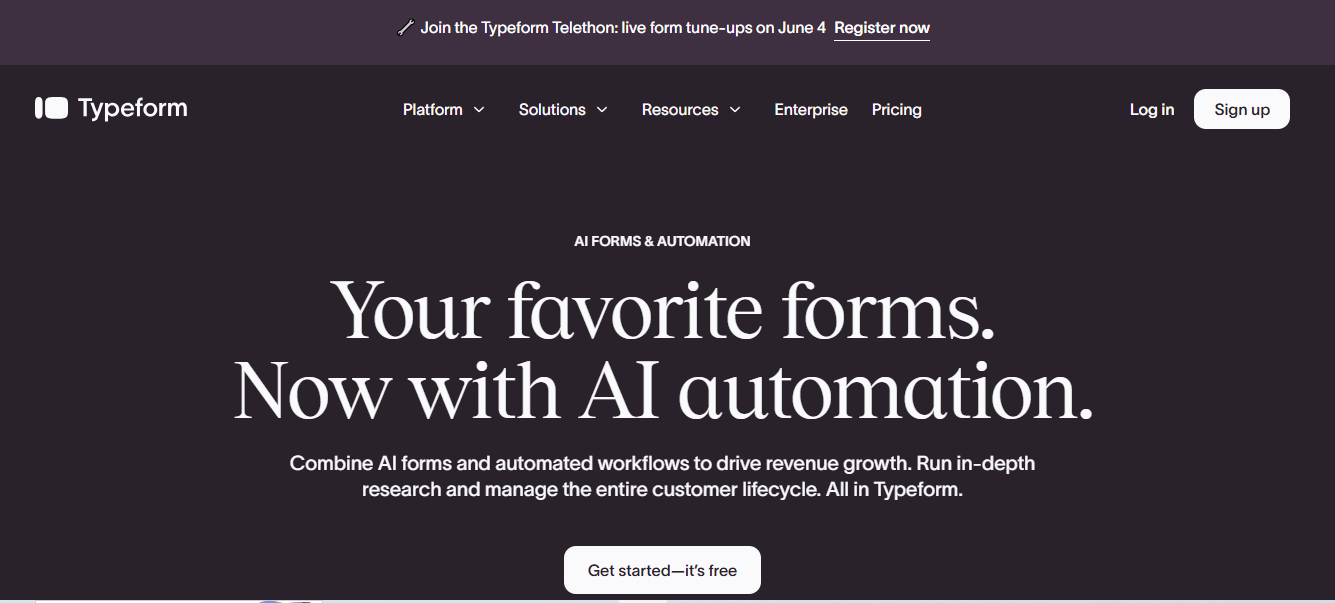
Typeform was founded in 2012 out of Barcelona, Spain, with a deceptively simple idea: what if filling out a form felt less like filling out a form? Rather than showing respondents a wall of questions all at once, Typeform presents one question at a time — full-screen, immersive, beautifully designed.
That single design philosophy changed what was possible in data collection. Higher completion rates, better quality responses, more engaged audiences. And for entrepreneurs trying to collect leads, run customer surveys, or build interactive quizzes, that’s not just a nice-to-have — it’s a business advantage.
Today, Typeform is used by companies ranging from scrappy startups to Fortune 500 enterprises, across use cases including customer feedback, employee onboarding, lead generation, event registration, and market research.
Key Features
The Form Builder
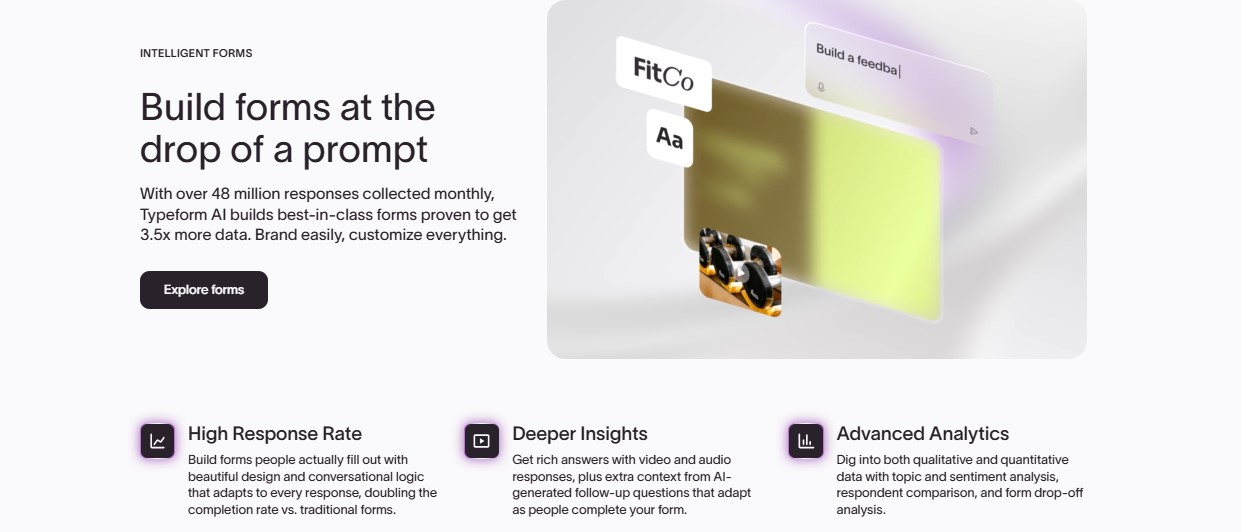
The Typeform builder is genuinely a pleasure to use. Everything is drag-and-drop, there’s no coding required, and the interface is clean enough that I was building my first form within minutes of signing up. You get unlimited questions and forms on paid plans, and the logic branching (called “conditional logic” or “logic jumps”) lets you create genuinely dynamic surveys where the next question depends on the previous answer.
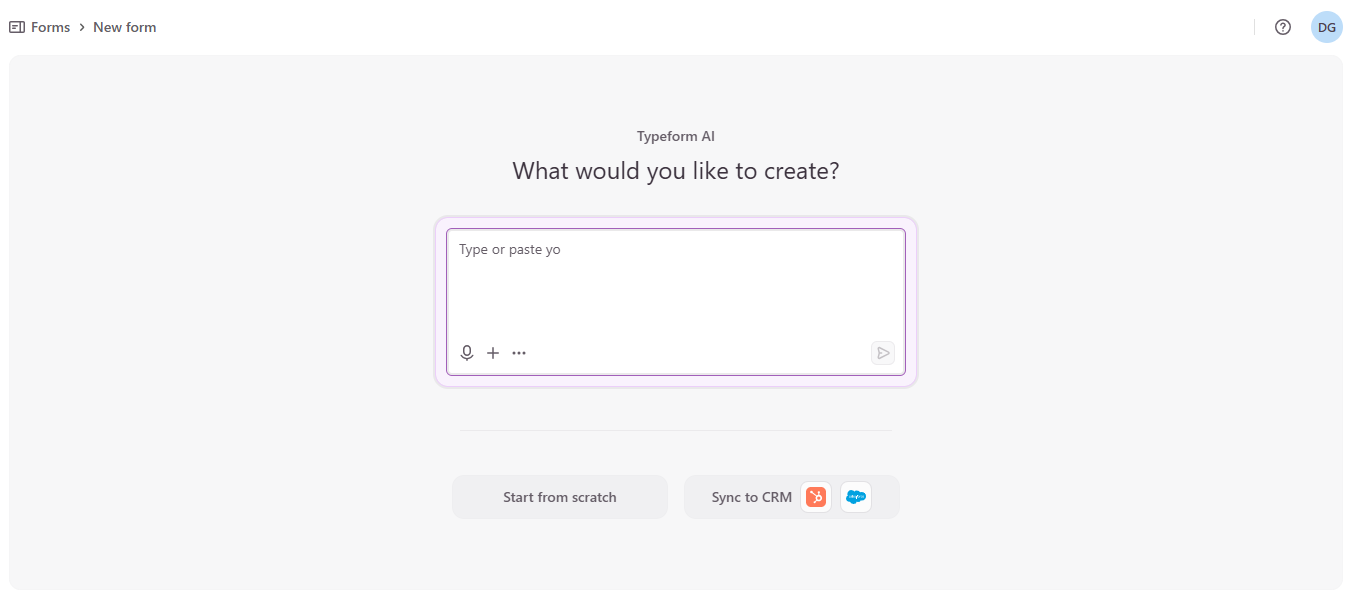
The AI form generation feature is worth mentioning here. You can describe what you want — “a customer satisfaction survey for a SaaS product” — and Typeform will generate a starting point. I’ve had mixed results with it personally, but as a drafting tool it saves real time.
Question Types
Typeform offers an impressive range of question types: multiple choice, short and long text, rating scales, ranking, NPS (Net Promoter Score), file upload, picture choice, payment questions, date and time inputs, and more. Nearly every data-collection scenario I’ve encountered is covered.
Design and Branding
This is where Typeform genuinely shines above the competition. The visual output is stunning. You can set full-screen background images or videos, apply custom fonts, choose color palettes, and (on paid plans) remove Typeform branding entirely and apply your own logo via Brand Kits. If your forms are customer-facing and brand consistency matters to you, there is simply no competitor that matches Typeform here.
Integrations
Typeform connects with what feels like every tool in the modern business stack: Google Sheets, Slack, HubSpot, Mailchimp, Zapier, Salesforce, Notion, Airtable, and dozens more. The caveat — and it’s an important one — is that premium integrations like Salesforce and HubSpot are locked to the Business tier and above. Basic and Plus plan users get Zapier and Google Sheets, which covers a lot of ground, but it’s worth checking your specific stack before committing.
Analytics and Reporting
Typeform’s built-in analytics covers the essentials: total responses, completion rates, average time to complete, and individual response viewing. The Business plan adds drop-off rates and conversion tracking — genuinely useful if you’re optimizing a lead capture form. The Results Summary feature uses AI to surface patterns in your data automatically, which I’ve found surprisingly useful for quick qualitative analysis.
That said, if you need deep analytics, Typeform isn’t a replacement for a dedicated insights platform. It’s solid for form-specific performance metrics but won’t replace your BI stack.
Collaboration
Teams can share workspaces, collaborate on form building, and leave comments. The multi-user functionality is sensible, though the number of seats included varies by plan.
Also Read: 8 Tools to Make Your Business More Efficient
User Experience
I want to be direct here: the respondent experience is Typeform’s killer feature and it remains unmatched. The one-question-at-a-time format, the smooth animations, the full-screen design — it transforms what could be a chore into something genuinely pleasant. I’ve seen completion rates climb noticeably when switching from flat HTML forms to Typeform, and I know from talking to other entrepreneurs that this is a common experience.
The builder experience is also excellent for non-technical users. The learning curve is minimal, and the platform’s help documentation is thorough, even if it can sometimes be hard to find the exact scenario you need (a frustration I’ve heard from others too).
Mobile responsiveness is solid — forms look great on phones and tablets, which is essential given that a significant portion of form responses now come from mobile devices.
Pricing and Plans
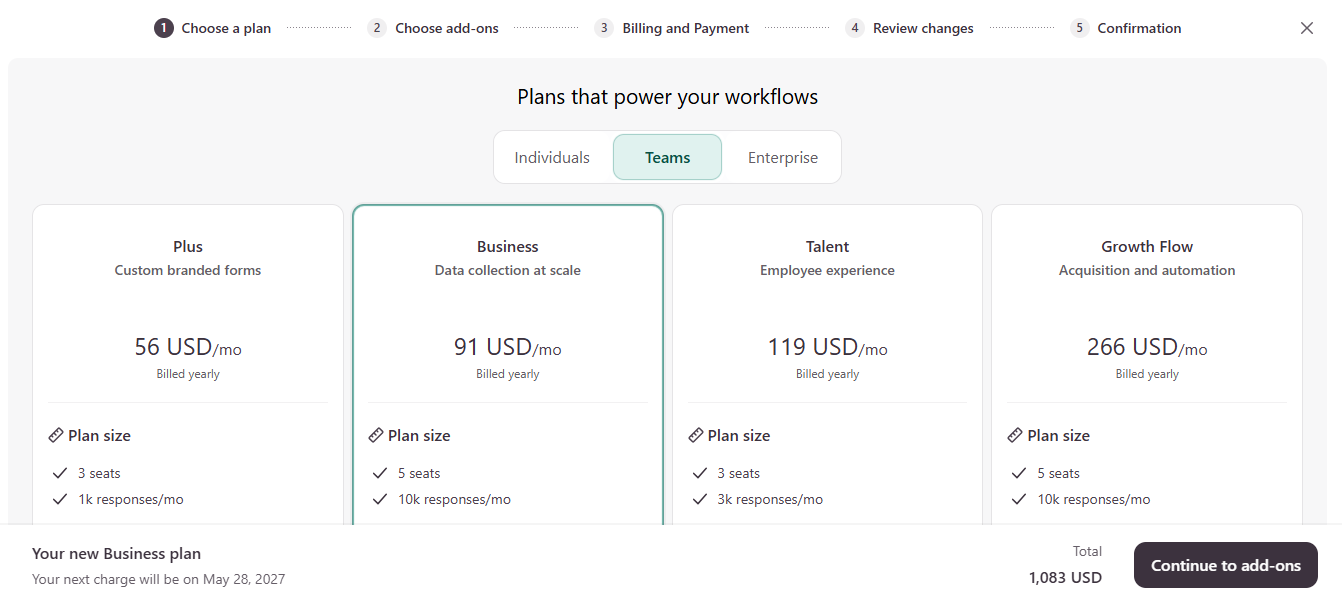
This is where I have to be honest with you, because pricing is Typeform’s most contentious topic in 2026. Typeform splits its plans into three audiences — Individuals, Teams, and Enterprise. The Teams plans (the most relevant for most entrepreneurs and growing businesses) are as follows, all billed yearly:
Plus — $56/month (billed yearly): 3 seats, 1,000 responses/month. Custom branded forms with your logo and colors, branding removal, and the baseline for teams that want a polished, professional look. Good entry point for small teams and solo founders with client-facing forms.
Business — $91/month (billed yearly): 5 seats, 10,000 responses/month. Data collection at scale — this is where advanced analytics, CRM integrations (HubSpot, Salesforce), and priority support come in. The highlighted “recommended” plan for most growing teams.
Talent — $119/month (billed yearly): 3 seats, 3,000 responses/month. Focused on employee experience — onboarding, HR surveys, internal feedback workflows. Notably, you get fewer responses than Business for a higher price, so this is purpose-built for HR-specific use cases rather than general form building.
Growth Flow — $266/month (billed yearly): 5 seats, 10,000 responses/month. Acquisition and automation — the top-tier Teams plan, designed for lead gen at scale, marketing automation, and advanced workflow integrations.
Enterprise: Custom pricing for large organizations needing custom response limits, dedicated support, SSO, and advanced security.
A few important callouts: all prices above are billed annually (your total commitment upfront). Monthly billing is available but costs more. The Business plan at $91/month is the one most entrepreneurs will land on — it hits the sweet spot of response volume, integrations, and seat count. And note that calculator fields and some advanced logic features are still gated to higher tiers regardless of plan.
Pros
1. Unmatched respondent experience. Nothing in the market produces higher-quality, more engaging forms. The conversational one-question-at-a-time format genuinely improves completion rates — and that directly impacts your lead pipeline, survey quality, and customer insights.
2. Beautiful visual design out of the box. Brand Kits, custom fonts, full-screen visuals — Typeform forms look professional even before you spend time customizing them. For customer-facing use cases, this matters enormously.
3. Powerful conditional logic. The logic jump and branching system is robust and intuitive. You can build genuinely complex, personalized form experiences without touching a line of code.
4. Wide integration ecosystem. Connecting Typeform to your existing workflow tools — whether that’s a CRM, email platform, Slack, or spreadsheet — is straightforward on most plans.
5. AI-powered features. The AI form generator and Results Summary are genuinely time-saving, even if the form generator sometimes needs heavy editing.
6. GDPR and HIPAA compliant. For businesses handling sensitive data or operating in regulated industries, Typeform’s compliance credentials are solid.
Cons
1. Response limits get expensive fast. The response-based pricing model means costs can climb quickly as you scale. A busy lead gen form can blow through the 100-response Basic limit in a matter of days.
2. Essential features locked behind expensive tiers. Calculator fields require the $83/month Business plan. Branding removal requires Plus. HubSpot and Salesforce integration requires Business. This tiered lockout feels aggressive compared to competitors.
3. Free plan is barely functional for real use. Ten responses per month is less a free plan and more a very limited trial.
4. Stripe-only payments. Even on the Business plan, payment collection is limited to Stripe. No PayPal, no Square, no regional payment processors. This is a meaningful limitation for e-commerce use cases.
5. Analytics are surface-level without Business. If you’re optimizing conversion funnels, you’ll need the Business tier to access drop-off data and conversion tracking.
6. No offline mode. Typeform requires internet connectivity. If you’re running in-person events in areas with spotty connectivity, this can be a problem.
Typeform vs. Competitors
| Feature | Typeform | Google Forms | Jotform | forms.app |
|---|---|---|---|---|
| Conversational UX | ★★★★★ | ★★☆☆☆ | ★★★☆☆ | ★★★★☆ |
| Design quality | ★★★★★ | ★★☆☆☆ | ★★★★☆ | ★★★★☆ |
| Free plan | 10 responses | Unlimited | 5 forms, 100 responses | Unlimited |
| Starting paid price | $25/mo | Free | $34/mo | Free |
| Payment gateways | Stripe only | None | Multiple | Multiple |
| Calculator fields | Business plan | No | Yes (lower tiers) | Yes (free) |
| Integrations depth | Strong | Basic | Very strong | Good |
My honest take: Google Forms wins on price (it’s free) but loses entirely on design and respondent experience. Jotform offers more templates, more payment gateways, and is more generous with features at lower price points. forms.app has closed the feature gap significantly in 2026 while remaining free for unlimited responses.
Where Typeform still wins — and wins clearly — is on the respondent experience and visual design. If that conversational, one-question-at-a-time format materially improves your completion rates (and for many use cases, it does), Typeform earns its premium pricing.
Best Use Cases for Typeform
Lead generation forms: The high completion rates and polished design make Typeform excellent for top-of-funnel lead capture. When a prospect’s first interaction with your brand is a Typeform, it sets a quality tone immediately.
Customer satisfaction surveys (NPS, CSAT): The conversational format reduces friction and improves response rates in feedback collection, where low participation is a perennial problem.
Quizzes and assessments: Typeform is genuinely fun for quiz creation — the format is natural, the conditional logic enables personalized results, and the design makes it shareable.
Event registration: Clean, mobile-responsive registration forms that integrate directly with your CRM or Google Sheets.
Job applications: Replacing a static application form with a conversational Typeform often improves the applicant experience and signals a modern, design-forward employer brand.
Product feedback: For SaaS founders and product teams, Typeform’s NPS and open-ended feedback features are strong and the Results Summary AI gives quick insights.
What Real Users Say
The broader user community paints a consistent picture. On Capterra, Typeform holds a strong rating and users consistently highlight its ease of use and the quality of the respondent experience. One user described switching from Microsoft Forms as “revealing the level of Stockholm Syndrome” they’d had with their old tool. A clinic manager rated it a 10 out of 10 for improving how their team collects information efficiently.
The criticism also has a consistent thread: the pricing model. Users on lower-tier plans frequently hit response limits and feel pushed toward expensive upgrades. Some note that essential features — CAPTCHA for spam prevention, calculator fields, branding removal — are gated in ways that feel deliberately aggressive. There are also candid reviews noting concerns about the company’s internal culture and a perceived shift toward monetization over user experience in recent years.
I think both perspectives are fair. Typeform at its best is genuinely excellent software. The business model, however, has become increasingly difficult to defend for budget-conscious users when capable alternatives exist at lower price points.
Final Verdict
Overall Rating: 4.2 / 5
Typeform is still the gold standard for form design and respondent experience. If you’re building customer-facing forms where aesthetics, brand consistency, and completion rates matter — and you have the budget — it remains the best tool in the category.
The caveats are real, though. The response-based pricing model gets expensive as you scale. Key features are locked behind the $83/month Business tier. And in 2026, competitors like Jotform and forms.app have narrowed the gap considerably.
My recommendation: If you’re a founder or entrepreneur building lead capture forms, client onboarding flows, or customer surveys where your brand’s presentation matters, Typeform is worth the investment — start with the Plus plan. If you’re primarily doing internal data collection, running high-volume forms on a tight budget, or need multi-gateway payment processing, look at Jotform or forms.app first.
Typeform is the Rolls-Royce of form builders: beautifully designed, feature-rich, and premium-priced. Whether that premium is worth it depends entirely on what you’re building and who’s going to see it.
Frequently Asked Questions
Is Typeform free?
Yes, there is a free plan, but it’s limited to 10 responses per month — practical for testing, but not for real business use. Paid plans start at $25/month.
Is Typeform GDPR compliant?
Yes. Typeform is GDPR compliant with EU data processing, and also offers HIPAA compliance for healthcare organizations.
Can Typeform accept payments?
Yes, on paid plans, but only through Stripe. There’s no support for PayPal or other payment processors, which is a notable limitation for some businesses.
Does Typeform work on mobile?
Yes. Typeform forms are fully mobile-responsive and look great on smartphones and tablets.
Can I embed Typeform on my website?
Absolutely. Typeform offers embed options including standard embed, popup, slider, and sidetab — all straightforward to add to any website.
What’s the best Typeform alternative?
For budget-conscious users: forms.app (free, unlimited responses). For more templates and payment gateway options: Jotform. For simple internal use: Google Forms (free).
 About Carson Derrow

