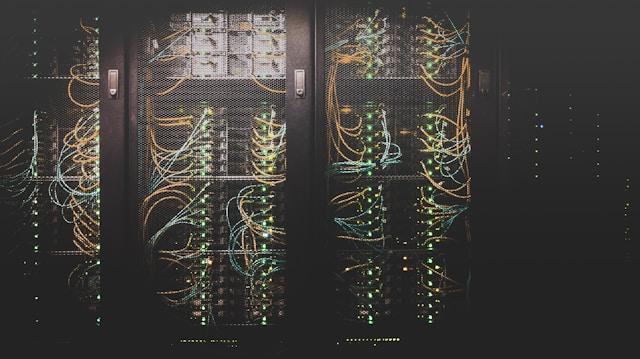
At first glance, running your own server room looks like a one-time investment. In reality, the bills keep coming. Electricity, cooling, maintenance, inspections, replacement parts, and valuable IT time all add up. In this article, we’ll show you where the hidden costs lie and explain why server colocation lets you keep full control of your hardware.
Most companies know exactly how much they paid for their servers. What they often don’t know is how much it costs to keep them running. Electricity, cooling, maintenance, and IT time all add up. Those ongoing costs—not the purchase price—are what determine whether your infrastructure pays off over the next five years.
| Cost item | In-house server room | Server colocation |
| Electricity and cooling | Variable, standard commercial rates | Included, enterprise-scale rates |
| Backup power | Separate investment and maintenance | Included in the infrastructure |
| Physical security | Basic locks and CCTV | Multi-layer access control |
| 24/7 monitoring | Managed by in-house staff | Included in the service |
| Floor space | Capital tied up in facility space | Rent only the space you need |
| In-house IT time | Dozens of hours each month | Only a few hours |
Table of Contents
When server colocation starts paying off
The tipping point comes when several major upgrades coincide. Your UPS reaches the end of its service life, your cooling system is out of warranty, and your servers are due for replacement. Until then, you’re paying to keep your server room running. From that point on, you’re investing in it all over again.
Then there’s energy efficiency. According to the Uptime Institute, the global average Power Usage Effectiveness (PUE) has remained at 1.54 for the past six years, while large data centers with more than 20 MW of capacity achieve an average of 1.44. A three-rack server room in an office building simply can’t match those numbers. Its cooling system is inherently less efficient, and the infrastructure operates well below its capacity.
One final factor doesn’t show up in spreadsheets. According to the Uptime Institute, 46% of data center operators struggle to hire qualified staff, while 37% struggle to retain them.
Tip: If you want to reduce the operational burden while keeping full ownership of your hardware, explore server colocation options ranging from a single server to an entire private data hall at https://ttc-teleport.cz/en/server-colocation/.
Data center colocation keeps you in full control of your hardware
A common concern is that moving your infrastructure to a data center means giving up control. In reality, the opposite is true. Your servers remain your property. They run the same software and configurations as before. They’re simply housed in a different facility.
Your administrators connect to them the same way they always have. They have 24/7 access to the data center, while the provider’s technicians can take care of routine hands-on tasks at the rack whenever needed.
That’s also what sets server hosting in a professional data center apart from the cloud. You don’t have to migrate your infrastructure, rewrite your applications, or tie yourself to a single vendor.
On top of that, colocation gives you benefits that an in-house server room typically can’t offer: a choice of multiple network carriers under one roof and power consumption monitoring for each individual rack.
Where server colocation has the edge
Downtime doesn’t cost you the price of the hardware. It costs you lost business. According to the Uptime Institute, 45% of outages are caused by power-related issues. Within that category, the most common causes are UPS systems, transfer switches, and generators—the very components that most small server rooms can’t afford to build in with full redundancy.
Professional data centers also protect against risks that often go unnoticed until something goes wrong. These include early smoke detection, gas-based fire suppression, and 24/7 on-site security.
Scalability is another advantage. An in-house server room has a fixed capacity. Once you run out of space or power, expanding it usually means a construction project that can take months. With server colocation, you simply order another rack and have the additional capacity available within days.
Calculate your own tipping point
Take your last three electricity bills. Add the quote for replacing your cooling system and the IT hours spent maintaining your server room over the past quarter. Then compare the total with the cost of renting the same capacity in a data center.


