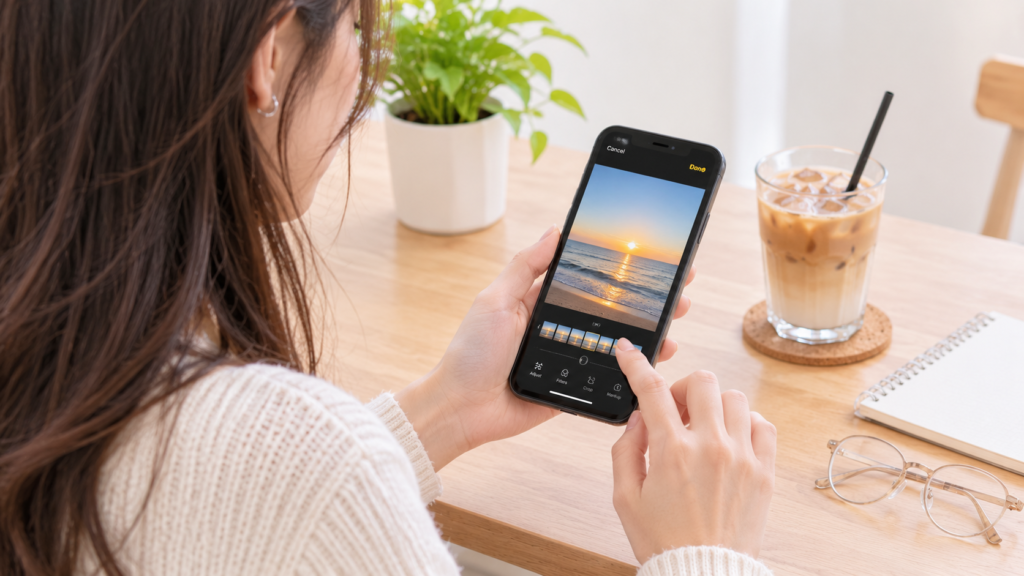
Lifestyle photos are about the small things that make everyday life interesting, whether it’s a morning coffee, a weekend getaway, a new outfit or a casual moment with friends. These shots don’t have to be totally professional, but there are a few tweaks you can make to help your photo polish pop.
For that matter, AI filters are useful. You don’t have to spend hours fiddling with brightness, contrast, colours and so on, you can just use AI to improve your photographs in a few clicks. If you want to share your travel pictures on social networks or you want to organise your personal photos, AI-powered filters are the easy way to go.
Table of Contents
What Are AI Filters and How Do They Work?
AI filters are types of photo effects that utilize artificial intelligence to scan the image and apply the filter automatically. While normal filters work by overlaying the same color on your entire photo, AI filters can recognize different aspects of a picture and edit them independently.
For instance, if you are using a filter, AI helps a filter to identify the location of the face in the picture as well as the lighting and background. Afterwards, the filter will be added accordingly. This enables the filter to make adjustments to the photo, but maintain the picture’s overall balance.
The best part is how easy to use it is. You don’t have to have any kind of editing skills to upload your photos and try out all the different styles!
Why Use AI Filters for Lifestyle Photography?
Lifestyle photography is more about beautifying your moments rather than refining the technical aspect of images. With AI filters, you can make sure that all the details are enhanced in your photographs with minimal effort.

Make Everyday Photos Look More Polished
Not every photograph may have been taken in ideal conditions. Maybe you’ve captured a great shot indoors in poor lighting, or outside in very bright light.
The beauty of AI filters is that they can correct these issues, either by adjusting exposure, coloring, or simply highlighting small details. A dull photo can be transformed into something special and exciting at the push of a button.
Save Time on Photo Editing
Traditional photo editing often involves adjusting several settings individually. The process may be quite time-consuming, especially if you have several photos to edit.
AI filters allow making these changes automatically depending on the photo. You can try out various effects, compare them and choose your favorite without knowing all the editing features.
Explore Different Creative Styles
AI filters allow you to quickly try out different styles. For instance, you may want to maintain a warm, earthy colour palette for your travel photography, switch to soft pastels for lifestyle posts or create more dramatic effects for night-time portraits.
Trying out various aesthetics will allow you to discover the ones that suit you and your photography most.
How to Choose the Best AI Filter for Your Photos
With so many editing styles available, choosing a filter can feel overwhelming at first. The easiest approach is to consider the subject, lighting, and overall mood of your original photo.
Start With the Type of Photo
Different pictures benefit from different editing approaches.
Here is an example of this:
- Selfies and portraits: Use filters for beauty or portrait editing.
- Travel photographs: Try filters for color enhancement or cinematic looks.
- Food photographs: Filters should enhance warmth, brightness, and colors.
- Fashion photographs: Find filters with clean and modern colors that go well with fashion.
- Lifestyle photographs: Use filters that will balance sunlight and shadows, as well as natural colors.
CapCut is a great choice for people who want to try their hands on creative photo and video editing at one place. Its AI-based effects and filters options enable the users to easily experiment with various visual styles for editing casual photos, travel photos or social media posts.
If you’re looking for the best AI filter to give your lifestyle photos a fresh look, CapCut’s available AI effects are worth checking out.
Pay Attention to Lighting and Colors
Lighting affects the look of the filter considerably. With the warm filter, a sunset picture will look better, but the indoor yellow photograph will look too orange.
In addition, saturated filter will make your photograph seem like you take it inextricably. Before you apply any filter you should think about whether you will need more light, saturation or contrast.
Avoid Overediting
The typical mistake many make is putting all of the effects on the photo at once. When you apply heavy filters, excessive skin smoothing, and too much color change, your photo will look fake.
The most effective is that which would make your initial photo and will not completely alter the overall picture.
Different Types of AI Filters Worth Exploring
There are different styles of AI filters used to edit photos in unique ways. While some filters enhance the photo quality, some add an artistic touch to the pictures.
- Portrait and beauty filters: These filters help enhance details in the picture, improve lighting and skin tones.
- Vintage and film filters: If you want warm colors in your picture, along with faded tones and grain effect, you should choose one of these filters. They work best with travel and lifestyle pictures.
- Cinematic filters: To get dramatic pictures, you can adjust color saturation, contrast, and lighting using cinematic filters.
- Background filters: Background can be changed, blurred or transformed using different AI filters.
- Artistic filters: With these filters, you can turn photographs into paintings or illustrations.
Choosing the right filter depends on the subject and the mood you want to create. Experiment with different options, but aim for effects that complement rather than overpower the original photo.
Tips for Getting Better Results With AI Filters
Getting good results with AI filters doesn’t require complicated editing techniques. Several tips will help you to make your photos more professional.
- Start with good-quality photos: Images with good lighting and clear pictures will provide you with better results. AI can correct some imperfections, but sometimes, it will not be able to do anything with poor quality and very blurry pictures.
- Do not overdo with effects: Do not use too many filters and too much of other editing effects. You should try to improve your picture, not to distort it.
- Compare both versions: Make sure that your edits improved the photo by comparing your original image with the edited one.
- Stay consistent in your edits: If you post your photos on social media regularly, try to use the same colors and styles.
- Think about where you will upload the photo: Some social networks have their own sizes and formats for images, so you should check them before exporting the picture.
- Pay attention to privacy: Before uploading personal photographs, review the editing platform’s privacy policy and understand how your images may be stored or processed.
Final Thoughts
AI filters photo editing has been made simple and convenient for everyone to edit their everyday photos and explore different creative ideas.
But the main thing is to understand when and in what cases you need to apply the ones. First, you need to choose high-quality images for editing, then it is necessary to find the right filters for your picture and not to use too many effects. By experimenting, you will establish your style of editing, which will help you make your lifestyle photos tidy but also unique.
Frequently Asked Questions
Are AI filters suitable for beginners?
Yes. AI filters are created in such a way that they can be used easily, even by those who have no experience at all in photo editing. This is because most of the functions operate automatically.
Can AI filters make low-quality photos look better?
AI filters can enhance some elements of the low-quality image such as the brightness, contrast, and some details. Nevertheless, the outcome depends on the photograph itself, since in case it is very blurry or taken badly, there will be certain limitations present.
Do AI filters make photos look unnatural?
It might, if the settings used are too aggressive. Heavy smoothing, extreme color modification, and unrealistic face edits might change the overall appearance of the photo. It is better to use mild settings and compare the edited photo with the unedited one.
Are AI filters only useful for selfies?
Not at all. AI filters can be used for travel photography, food photography, fashion photography, outdoors photography, and regular photography. The choice of filter will depend on what type of photograph you are trying to take.