AI image generation is the new marketing arms race. It’s improved faster in the past six months than in the two years before. Inference is near-instant. What used to be a party trick for laughs is now an indispensable tool for marketers, designers, and brands.
The catch is that there are dozens of options out there. To help you make your decision, we tested the best ones available and weighed image quality, how closely each follows a prompt, and how it handles text. Here are the five best AI image generators we recommend for 2026:
Table of Contents
1. Pixelcut: Best Free, All-In-One Generator for Brands
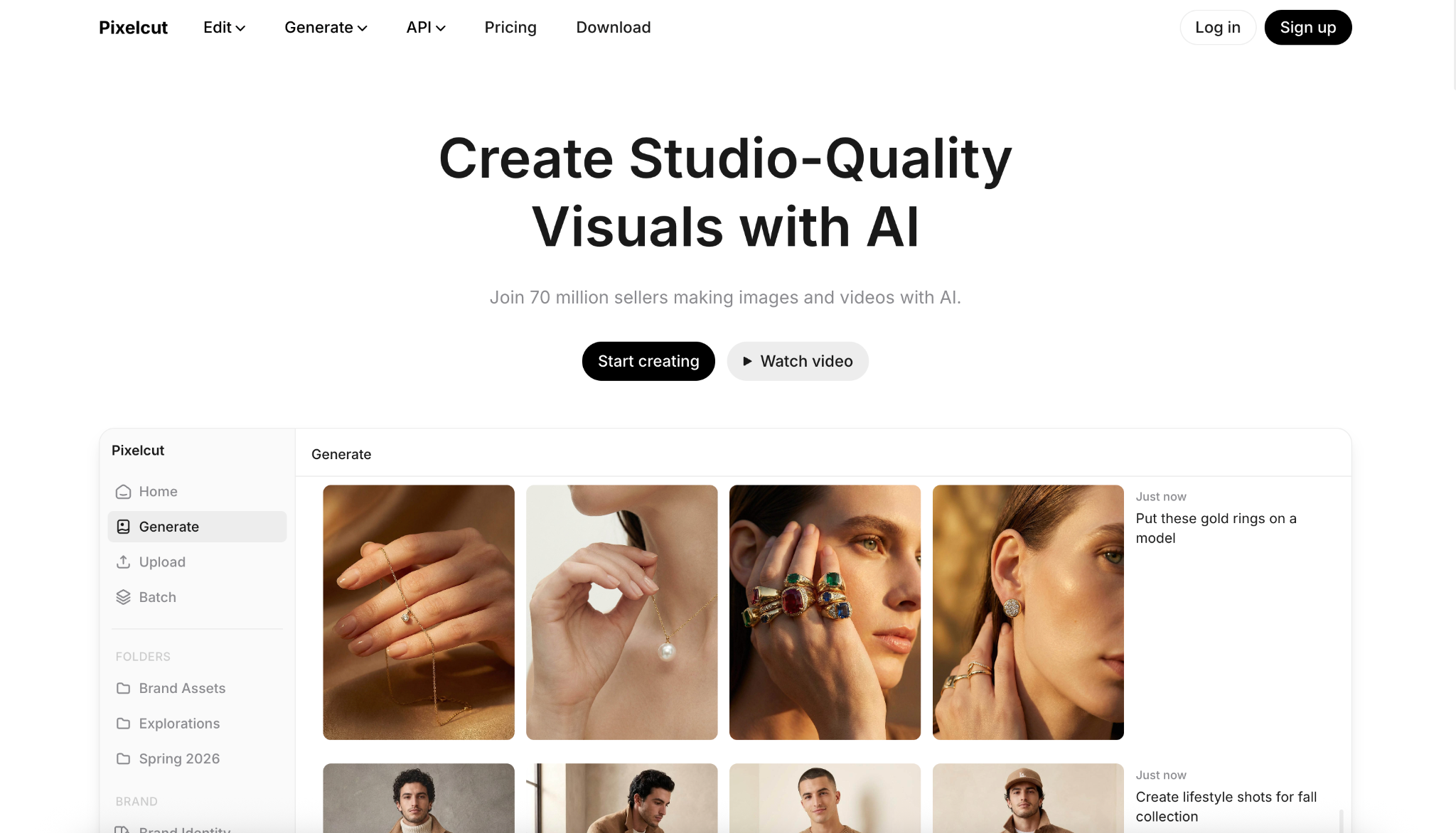
Most tools require you to be hyper-specific about the output you want. That takes a lot of testing. But if you want high-quality output fast, Pixelcut’s AI image generator already has the templates you need. All you need to do is give it your reference photos.
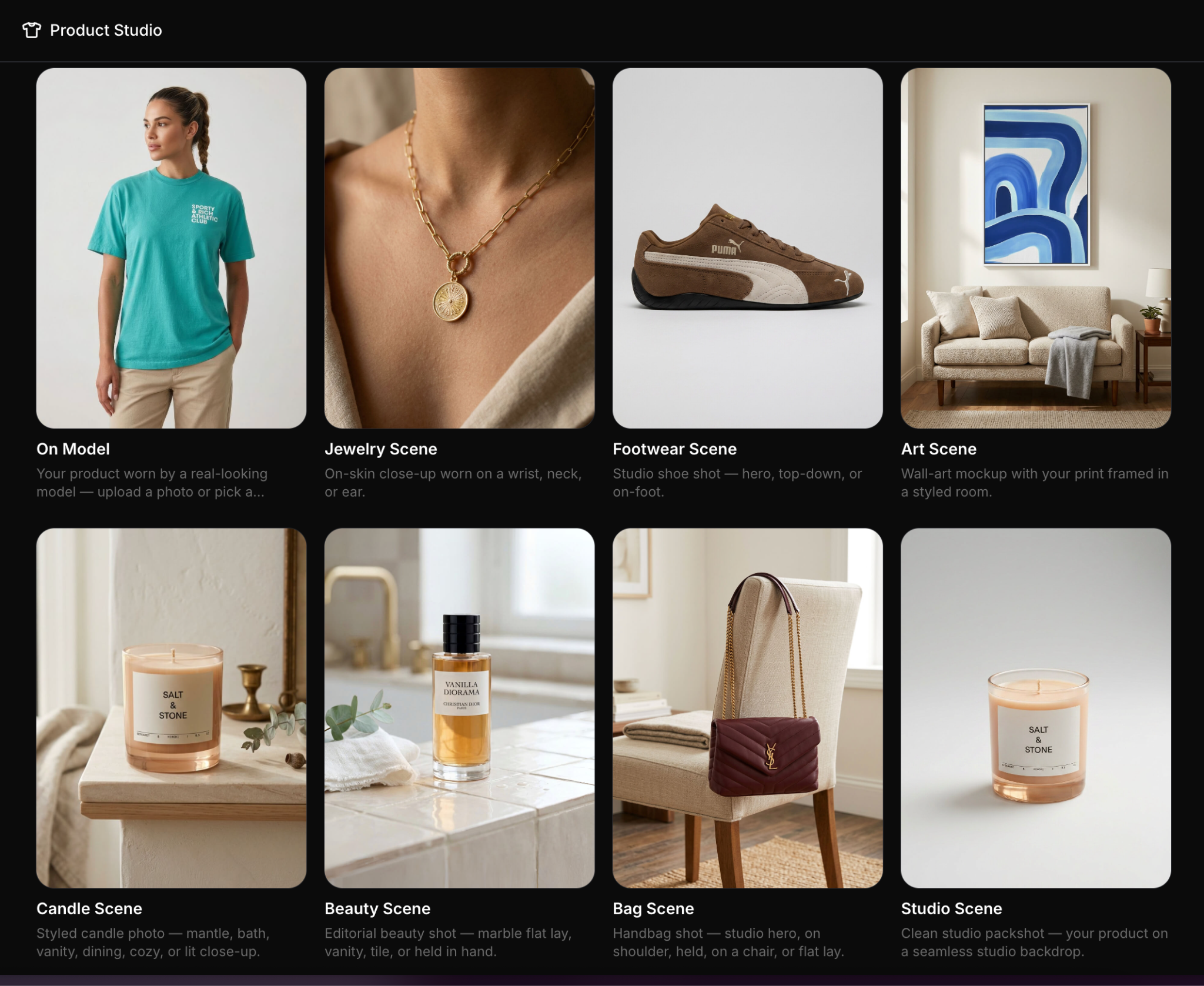
Pixelcut’s Product Studio already includes built-in assets for your products. You get high-quality close-up shots of your jewelry, clothes on a model, and different studio-grade setups without having to think about writing a three-paragraph essay prompt.
Key features:
- Runs Flux Dev, Flux 1.1 Pro, Flux Ultra, Imagen 3, Ideogram, and FLUX.2.
- Generates two to four variations per prompt.
- Works in any browser and on iPhone and Android.
- Free, with a worldwide royalty-free commercial license on every image.
2. GPT Images 2.0: Best All-Rounder Image Generation Tool
GPT Images 2.0 takes one or two reference photos, and then it’s all up to how creative and specific you can be with your prompt. Even with simple, plain, non-descriptive language, it’s already decent. In this example, we fed a photo of an earring and told it to place it on a model.
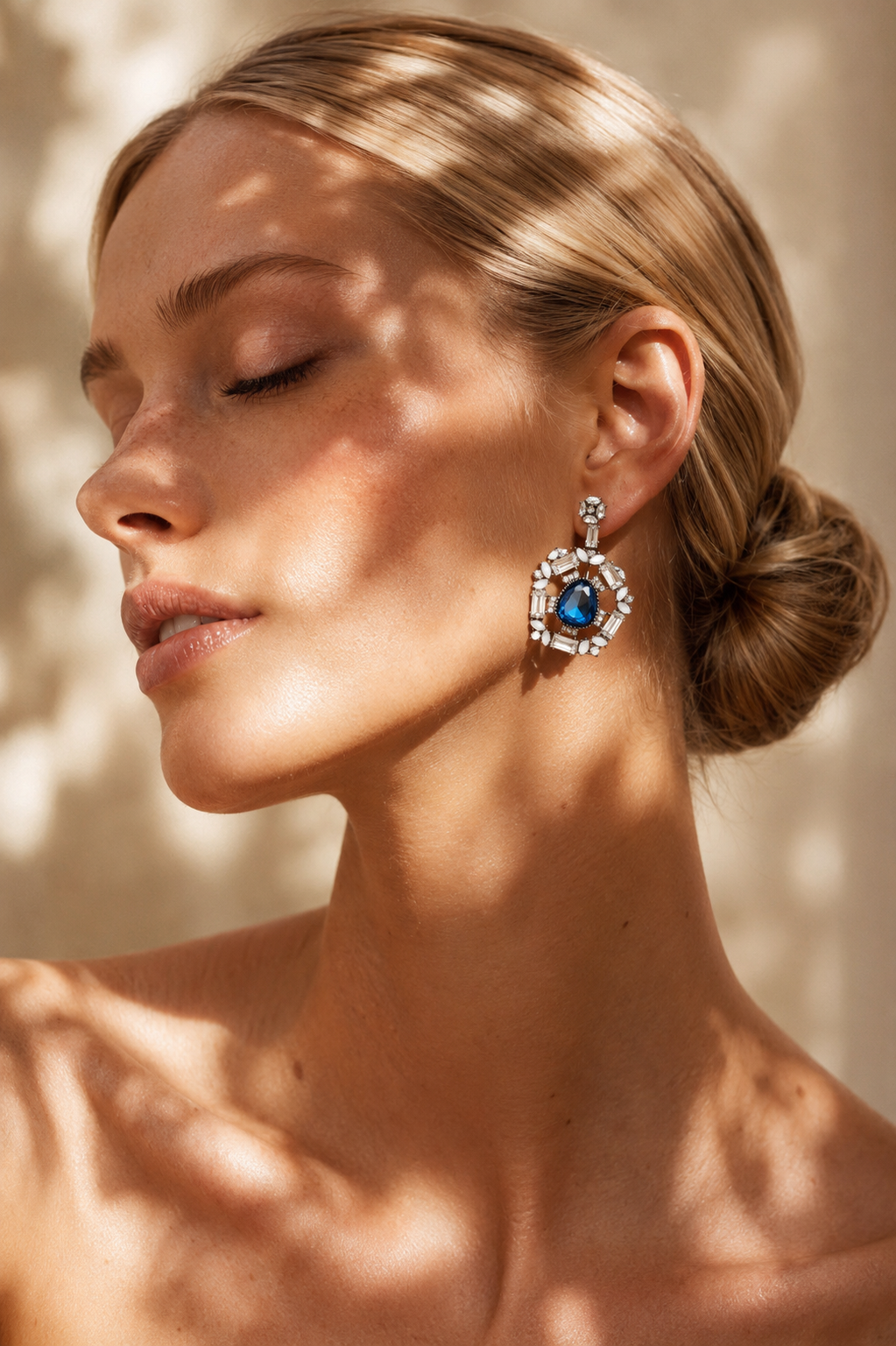
The prompt used for this output was specific and descriptive of the model’s age, her pose, the lighting, how shadows hit her face, and emphasized that the focus should be on the earrings. We did another test using a simple prompt, “Make a model wear these earrings.”
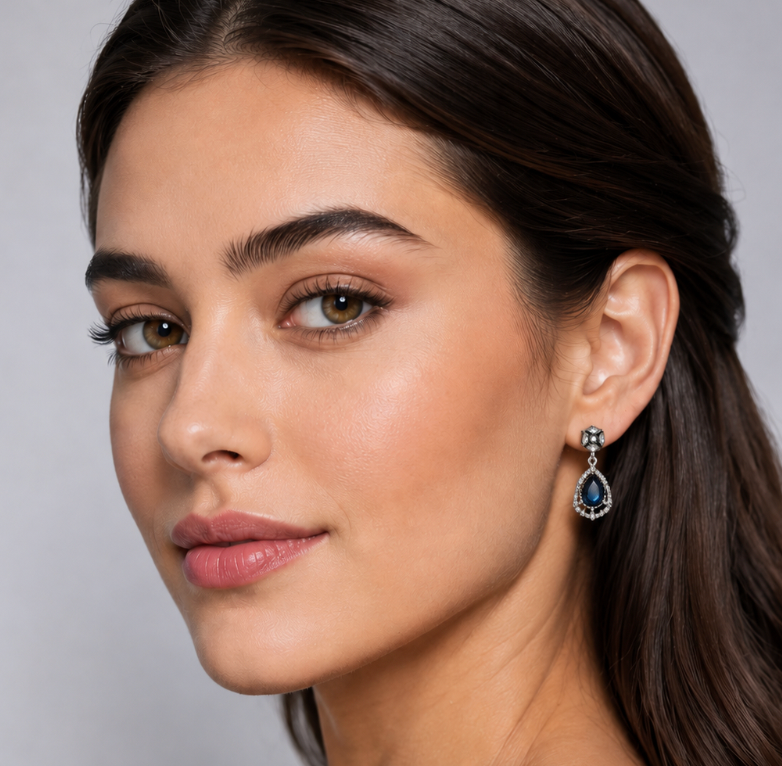
It can generate an image that’s passable, but not something you would publish. The output looks like a generic stock image, and the product isn’t in focus. It also “looks AI.” Still, if you know exactly how you want something to look, it’s one of the best tools you can get.
Key features:
- Outputs sharp images up to 4K.
- Spells text correctly inside images.
- Turns plain-English prompts into usable results fast.
- Lives inside ChatGPT.
3. Google Nano Banana 2 (Gemini): Best for Google Ecosystem
If you want an apples-to-apples comparison for GPT Image 2, Google’s Nano Banana or Gemini is a great contender. But the biggest win for Gemini is the convenience of having everything in your Docs, Slides, and Gmail accessible.
Now the cons. Gemini sometimes blocks requests due to its safety, brand, and protection filters. I used the same specific, detailed prompt for the earrings in the ChatGPT example, and it denied the request.
So, I tried something simpler. I uploaded the image of the earrings and just told Gemini, “Make a model wear these earrings. Make sure that the earrings are the focus.” Here is the result.
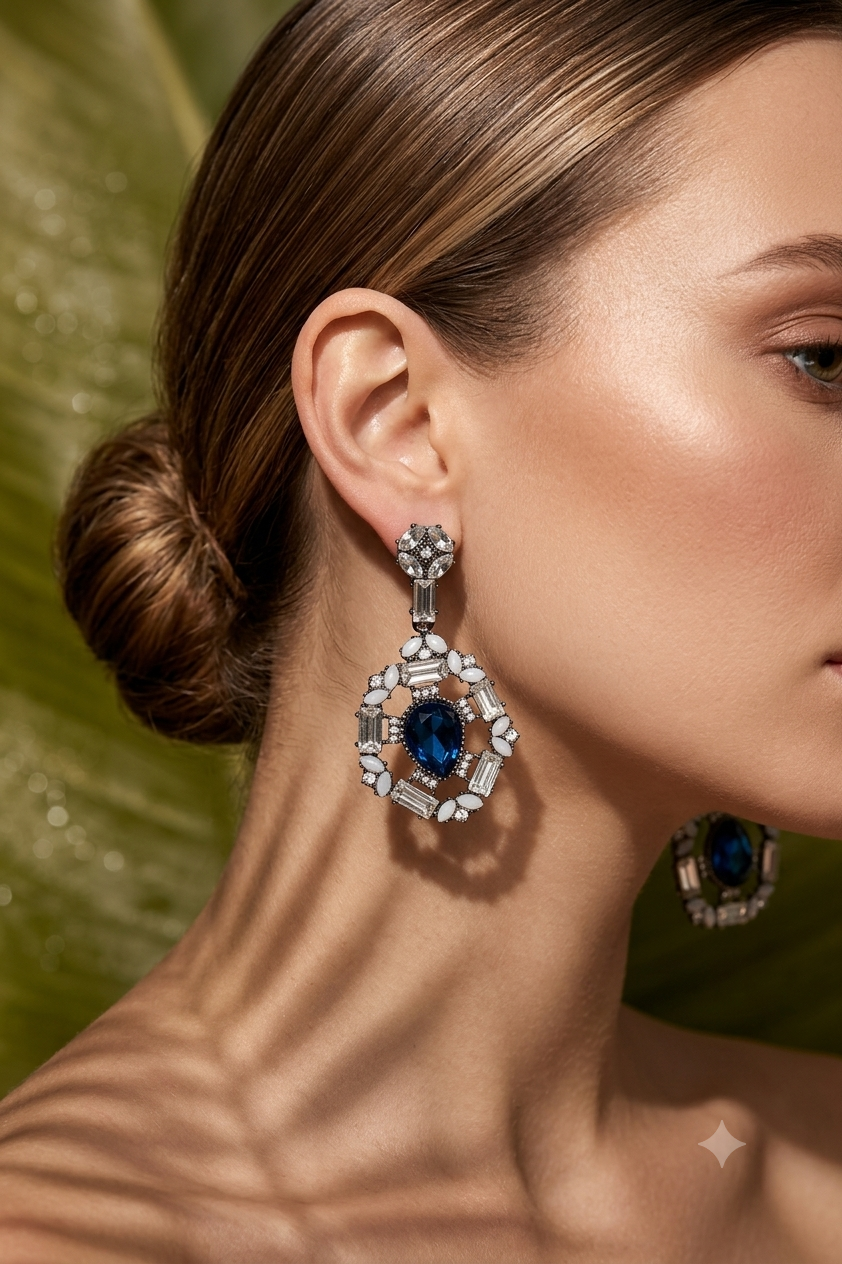
For simpler one-shot prompts, Gemini beats GPT Image 2. It even rendered the other earring on the other side of her face.
Key features:
- Fast, Thinking, and Pro modes, with output up to 4K.
- Four-to-six-second generations at roughly 95% of Pro quality.
- Grounds images in real time Google Search for accuracy.
- Drops straight into Google Workspace with no export step.
4. Recraft: Best for Logos and Brand Design
While most tools here are great at creative output, Recraft is built specifically for Logos and Brand Design. It’s the only one here that creates true SVG vectors. We asked for a coffee-brand logo and got back a clean SVG we could open straight in Figma and adjust.
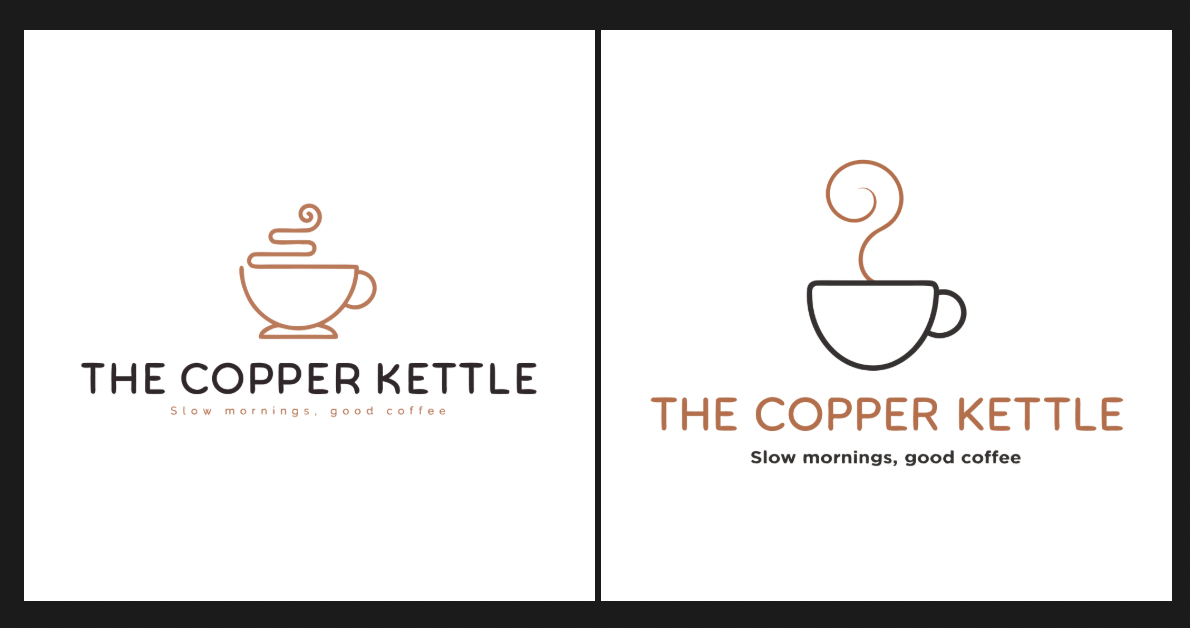
What stands out most about Recraft is brand consistency. You can create style and brand kits that Recraft can apply to everything it makes. But it’s not the AI image generator you go for when you need photoreal scenes or moody artboards. For logos, icons, and on-brand marketing assets, nothing else gets you this close to finished.
Key features:
- Generates true, editable SVG vectors, not flat raster images.
- Readable in-image text for wordmarks, labels, and headlines.
- Brand kits keep colors and style consistent across every asset.
5. Midjourney V7: Best for Artistic Work
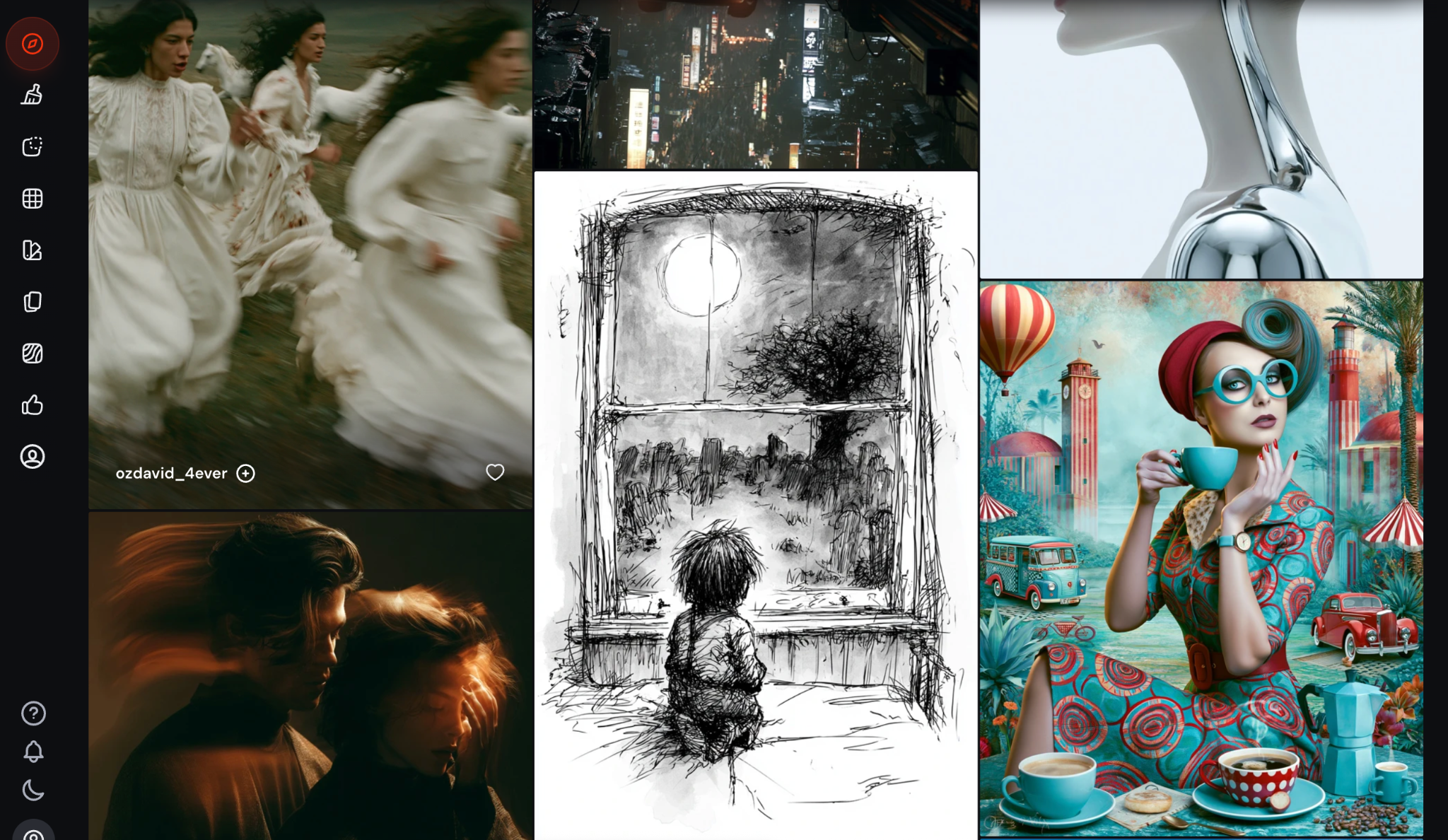
Midjourney has always been the model people went to if they wanted to create the craziest thing you could’ve imagined. We still remember it being exclusive through a Discord server. Now it’s one of the most accessible models on the market.
Midjourney V7 creates cinematic, editorial-grade visuals that other tools can’t quite match at the same prompt. This makes it the best tool for creating moodboards, building the foundation for character concepts, and hero shots.
It also does well in almost any style you can think of, from futuristic dystopian to black-and-white rough sketches. If you have an idea for a world you want to live in, Midjourney can take you there.
Key features:
- Aesthetic and photorealistic quality.
- Improved prompt adherence on complex scenes.
- Can be used for multiple different art styles
Key Takeaways
The best AI image generator depends on the job. To recap, here are the five tools we recommend depending on the image generation tasks you need:
- Midjourney is great if you want art direction.
- Firefly is better when legal safety is a non-negotiable.
- GPT Image 2 is versatile.
- Nano Banana 2 is the perfect choice if you already do most of your work inside Google.
- Pixelcut lets you try multiple models and comes with a royalty-free commercial license.


